Cénacle or Luma
A beautiful event page and a guest list, or the tool for a whole club: here is what each one does best.
In short
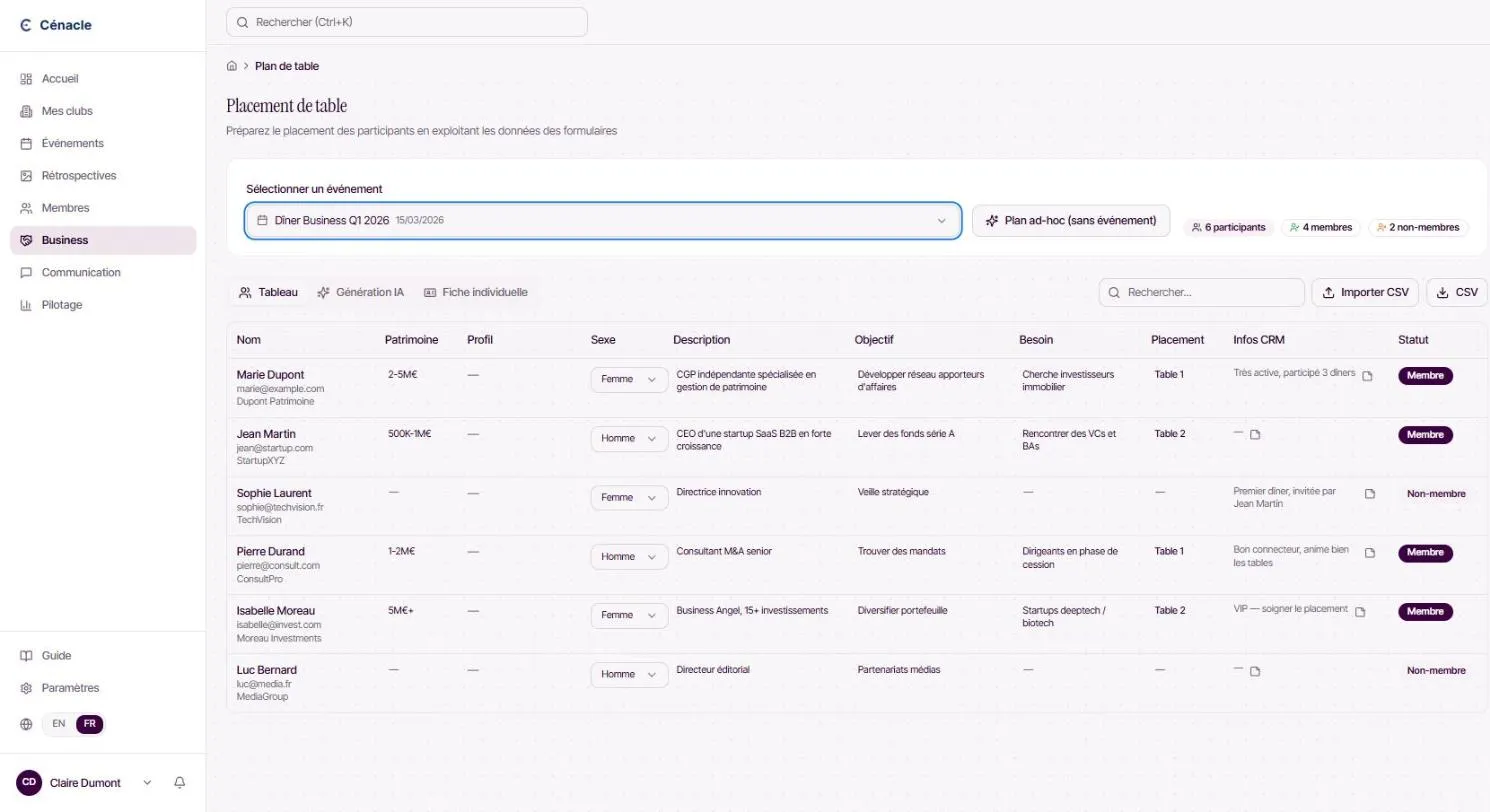
Luma is built around the event: a polished page, invitations, a guest list to approve and a calendar people can subscribe to. Cénacle is built around the club: an event is one step, connected to members, their memberships, the seating plan and the follow-up of guests you hope will join.
| Criterion | Cénacle | Luma |
|---|---|---|
| Purpose | Running a club: applications, members, memberships, events, prospects. | Creating and sharing events, and gathering a community around a calendar. |
| Event page | A registration page in the club's style, with a choice of themes and a QR code ticket. | Its great strength: polished event pages that are quick to create. |
| Registrations | Separate paths for members and guests, with optional approval of requests. | Simple registration, with a guest list the host can approve. |
| Members and memberships | A member covered by their plan registers without paying; their remaining dinners are counted down. | Built around the guest and the calendar subscriber, not around club membership. |
| Seating plan | Assisted guest seating for dinners, exportable to Excel. | Outside its purpose. |
| Prospect follow-up (CRM) | A guest who came to a dinner is followed in the pipeline all the way to membership. | The relationship ends with the event; sales follow-up happens in another tool. |
Luma is a better fit if…
- You run one-off events and mainly want a beautiful page to share.
- Your community follows a calendar, with no membership or dues.
- You do not need to follow up with guests after the event.
Cénacle is a better fit if…
- Your events are member dinners, with guests you want to turn into members.
- Your members hold a plan that includes a number of dinners.
- You want the event, the seating plan, the attendees and their follow-up in one place.
Moving from Luma to Cénacle
- 01
Import your contacts
Export your guest lists as CSV, then import your members and contacts into Cénacle.
- 02
Connect Stripe and create your dinners
Connect the club's Stripe account, then create your upcoming events, one date at a time or as a series.
- 03
Share your new pages
Send the registration link to your network; attendees receive their ticket and reminders.
Frequently asked questions
Can my event page stay this polished?
Yes. Each event has a theme of your choice (fonts, colours, backgrounds) or uses the club's own branding.
Where does registration money go?
Into the club's Stripe account. Cénacle neither sees nor stores card numbers.
Can I use both?
Yes. A club can keep Luma for events open to everyone and run its member dinners in Cénacle.
Other comparisons
Your circle deserves better than a spreadsheet
Applications, dinners, payments and memberships in one place. Start with a free trial, or see the platform on your own club with the team.